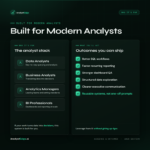
The AnalystEdge AI Workflow System is a free starter resource for data analysts, business analysts, analytics managers, and BI professionals who want to use AI inside real analyst workflows.
This is not just a prompt pack. It is a repeatable system for turning AI into a practical part of your analytics process, from defining the business question to generating SQL, validating outputs, building insights, and saving reusable assets.
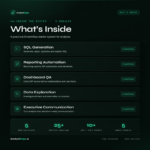
Inside the free system, you will get:
- 5 core workflow systems
- 25+ practical AI workflows
- 10+ copy/paste prompts
- 5 worked examples
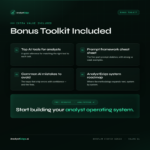
- A reusable prompt framework
- A common AI mistakes checklist
- A workflow map for building your own analyst operating system
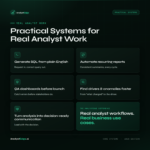
The system covers five high-value analyst use cases:
1. SQL Generation
Turn plain-English business requests into better SQL drafts, repair broken
queries, optimize slow SQL, and explain legacy code.
2. Reporting Automation
Use AI to draft recurring business reviews, KPI summaries, executive
scorecards, and stakeholder updates from validated numbers.
3. Dashboard QA
Run a repeatable checklist against dashboards before they ship, including KPI
definitions, naming consistency, visual hierarchy, anomalies, and executive
readability.
4. Data Exploration
Structure root-cause analysis, trend investigations, segmentation analysis,
anomaly reviews, and driver identification.
5. Executive Communication
Turn analysis into decision-ready summaries, recommendation memos, leadership
readouts, and stakeholder updates.
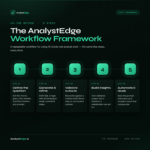
Every workflow follows the AnalystEdge Workflow Framework:
- Define the business question
- Generate and refine the analysis
- Validate the output
- Build the insight
- Automate, document, and reuse
This free resource is designed to help you stop using AI as a collection of one-off prompts and start using it as part of a repeatable analyst operating system.